You’ve got a great product, a loyal customer base, and a growing business—but you’re still asking customers to pay with cash or checks. Every time you do, you risk losing them to a competitor who accepts credit cards. The solution? Accepting credit card payments for your small business isn’t just a luxury anymore; it’s a necessity. And the best part? Setting it up is simpler than you think. This guide walks you through every step, from understanding how credit card processing works to picking the right payment processor—without drowning in industry jargon.
Why Accepting Credit Cards Is Non-Negotiable
Customers expect to pay with plastic. Whether you run a brick-and-mortar store, an online shop, or a hybrid, not accepting credit cards means turning away sales. Even a small percentage of lost customers can add up quickly. Plus, accepting credit cards can boost your credibility and make your business look more professional. Cash- or check-only limitations are a red flag to many buyers, and they’ll often choose a competitor that offers the convenience they want.
How Credit Card Payments Work (In Plain English)
Before diving into the “how-to,” it helps to understand the basic flow of a credit card transaction. When a customer swipes, taps, or types their card number, the payment goes through a series of steps:
- The customer’s bank authorizes the transaction – The card issuer checks whether the customer has enough credit and whether the transaction looks suspicious.
- The funds are transferred to your merchant account – The money moves from the customer’s bank to your business’s account (often with a slight delay).
- The funds are deposited into your business bank account – Once the transaction is settled, you get paid—minus processing fees.
The Players: Processor, Payment Gateway, and Merchant Account
Three key players make this possible:
- Payment processor – The company that handles the transaction behind the scenes. It relays the customer’s payment information to the banks and gets the funds moved.
- Payment gateway – The digital equivalent of a card terminal. It securely transmits payment data from your point-of-sale system or website to the processor.
- Merchant account – A special bank account that holds funds before they transfer to your business account. Some processors bundle this with their service, so you don’t need a separate one.
Types of Payment Processors: Which One Fits You?
When you start researching, you’ll come across three common types of payment processors. Each has pros and cons, so knowing the difference is key to choosing the right fit.
Traditional Merchant Account
This is the classic model. You open a dedicated merchant account with a bank or independent sales organization (ISO). The provider underwrites your business and sets up a custom pricing plan. This often means lower transaction fees, but also longer contracts, application fees, and sometimes early termination penalties.
Payment Service Providers (PSPs)
Companies like PayPal, Stripe, and Square operate as PSPs. They act as the merchant account, gateway, and processor all in one. You create an account, integrate their tools, and start accepting payments quickly—often within a day. Fees are usually flat and straightforward, but they can be higher than traditional merchant accounts for high-volume businesses.
Payment Aggregators
Many PSPs are also aggregators. They “aggregate” many small businesses under one master merchant account. This is why they’re easy to set up, but it also means you share the risk with other merchants. If your account is flagged for unusual activity, funds may be held—a risk worth understanding.
How to Choose a Payment Processor: What Actually Matters
Now that you know the landscape, it’s time to evaluate providers. Here are the factors that matter most for a small business.
Fees, Contracts, and Fine Print
- Transaction fees – You’ll typically pay a percentage of the sale plus a small flat fee (e.g., 2.9% + $0.30). Some providers offer tiered or interchange-plus pricing.
- Setup and monthly fees – Some processors charge a monthly statement fee, gateway fee, or PCI compliance fee. Others bundle these into a single flat rate.
- Contract length and cancellation fees – Traditional merchant accounts often lock you into a 3-year contract; PSPs usually have no contract or cancellation fee.
Always read the fine print. A processor that looks cheap per transaction may hit you with hidden monthly charges.
Equipment and Point-of-Sale (POS) Integration
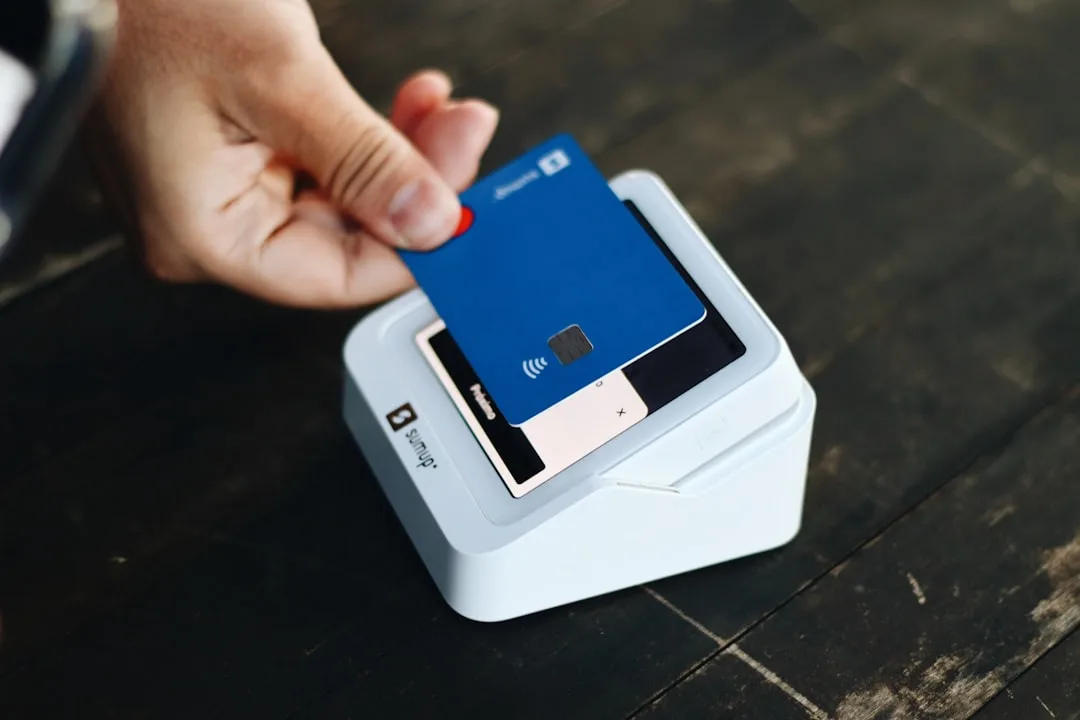
If you have a physical store, you need hardware: a countertop terminal, a mobile card reader, or a full point-of-sale system. Many PSPs offer affordable terminals and even free apps that turn your smartphone into a card reader. If you run an online store, check that the processor integrates with your e-commerce platform (e.g., Shopify, WooCommerce) and supports payment methods your customers use, like Apple Pay or Google Pay.
Security and Compliance
Credit card data is a prime target for hackers. Your processor must be PCI-DSS compliant to ensure safe handling of card information. Look for providers that offer fraud detection, encryption, and tokenization. Also, consider how they handle chargebacks—do they offer a dispute management dashboard? Do they provide support when you need to fight a fraudulent chargeback?
Customer Support and Reliability
When payments fail, you lose revenue immediately. Choose a processor with 24/7 customer support. Check reviews for uptime records and how responsive they are. You don’t want to be stuck on a long wait when your system glitches during peak hours.
Step-by-Step: How to Accept Credit Card Payments for Your Small Business
Here’s a practical, five-step process to go from cash-only to credit-card-ready.
Step 1: Define Your Business Needs
Start by assessing how and where you sell:
- Do you have a physical store, an online store, or both?
- What’s your average transaction size?
- What payment methods do your customers expect (e.g., contactless, mobile wallets, ACH)?
- Do you need to accept payments on the go (e.g., at craft fairs or pop-up shops)?
These answers will point you toward the right processor type. A low-volume boutique might love a simple PSP with no monthly fees, while a busy restaurant might need a full POS system with a traditional merchant account.
Step 2: Research and Shortlist Providers
Make a list of three to five providers that meet your initial criteria. For small businesses, popular options include Square, PayPal, Stripe, and traditional processors like Bank of America Merchant Services or Elavon. Read reviews from other small business owners, focus on ones similar to yours, and visit each provider’s website to confirm features.
Step 3: Compare Fee Structures Like a Pro
Don’t just look at the advertised rate. Create a comparison chart using a spreadsheet or a piece of paper. For each provider, list:
- Transaction fee (percentage + flat fee)
- Monthly fees
- Setup fees
- Hardware costs
- Contract length
- Cancellation penalties
- Additional costs (e.g., PCI compliance fee, statement fee)
Estimate your monthly sales volume and calculate how much each option would cost you. This rough math helps you see beyond the sticker price.
Step 4: Set Up Your Account and Integrate Your Systems
Once you’ve chosen a provider, sign up and complete the underwriting process. For PSPs, this is usually quick. You’ll provide basic business and bank account details. Then, set up your payment gateway and connect it to your POS system or e-commerce platform. If you need hardware, order it and ensure it’s compatible. Take time to set up separate user permissions for your staff, and configure receipt options, tax settings, and tracking features.
Step 5: Test, Train, and Go Live
Before opening your doors (or going live on your website), run test transactions. Most processors offer a “test mode” for online payment integration. If you’re using physical terminals, run a few test swipes. Check that funds settle correctly in your bank account. Then, train your team on how to process returns, refunds, and how to handle customer questions. Finally, announce to your customers that you now accept credit cards—they’ll appreciate the convenience.
Frequently Asked Questions
1. How much does it cost to accept credit card payments?
Costs vary by processor and volume. Payment service providers typically charge a flat per-transaction fee, such as 2.6% + 10¢ for card-present transactions or 2.9% + 30¢ for online payments. Traditional merchant accounts may offer lower rates after negotiation, but they often have monthly fees and contract terms. Always ask for a complete fee schedule before committing.
2. Can I accept credit cards without a merchant account?
Yes. Payment service providers like Square, PayPal, and Stripe act as aggregators, meaning they provide the merchant account infrastructure for you. You don’t need to open a separate merchant account—just sign up for the service and you can start accepting payments.
3. How long does it take to get approved?
With PSPs, approval is often instant or takes only a few minutes if you have the required business and bank details. Traditional merchant accounts may take a few days to a week, as the provider underg writes your business, checks your credit history, and sets up your pricing.
4. What is a payment gateway and do I need one?
A payment gateway securely transports customer payment information from your website or POS terminal to the processor. If you sell online, you need a gateway—many processors include it in your account setup. For in-person payments, the terminal itself functions as the gateway. Some providers offer bundled gateway services, so you don’t need to buy it separately.
Key Takeaways
- Accepting credit cards is essential for modern small businesses to meet customer expectations and increase sales.
- Understand the difference between traditional merchant accounts, PSPs, and aggregators—each has unique trade-offs.
- Focus on factors like fees, contract terms, hardware, security, and customer support when comparing providers.
- Follow the step-by-step process: define needs, research, compare fees, set up, and test before going live.
- Always read the fine print and ask for a full fee disclosure to avoid surprise costs.